
Ready-to-Deliver Healthcare Email Lists by Specialty and Location
What sits inside a prebuilt healthcare contact file, how specialty and location filters change your results, and the checks to run before you buy.
AA
Aiden Mason
Healthcare data writer
Updated 22 Oct 2026
9 min read
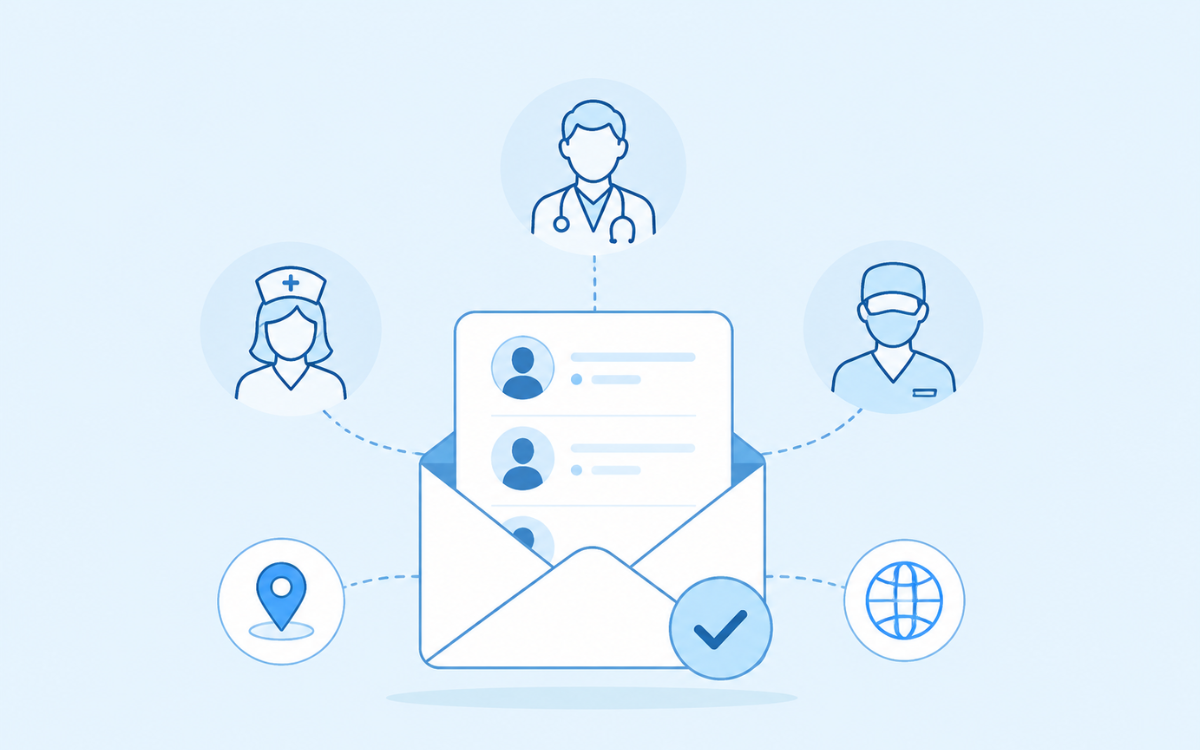
TABLE OF CONTENTS
QUICK ANSWER
A ready-to-deliver healthcare email list is a prebuilt, already-maintained contact segment you request by specialty and location and receive in roughly 24 to 48 hours. It suits campaigns with a fixed launch date. Unusual filter combinations and very narrow sub-specialties still need a custom build.
Key Takeaways
- Ready-to-deliver lists are prebuilt segments, usually delivered within 24 to 48 hours.
- Specialty, job role and location are the three filters that decide whether a list performs.
- Ask for verified counts and a sample drawn from your exact filters before you pay.
- National files rarely suit local offers; match the geography to the territory you can serve.
- Suppression lists, an honest footer and a working opt-out matter as much as the data.
You have a campaign date, a product that suits cardiologists in three states, and no contact file. Building that list in-house means working through directories, checking licences and clearing duplicates for a week. A ready-to-deliver healthcare email list removes that week: you name the specialty and the geography, and the provider sends a verified file.
The trade-off is control. Prebuilt segments cover the filters most buyers ask for, so an unusual combination still needs a custom build. This guide explains what sits inside a ready-made file, how specialty and location filters change what you receive, and what to check before money changes hands.
What a ready-to-deliver healthcare email list is
A ready-to-deliver list is a segment the provider already maintains and verifies, held in a state where it can be filtered and exported quickly. You choose the audience – dentists in Texas, say, or hospital procurement leads across the Midwest – and the provider pulls the matching records, runs a fresh verification pass, and delivers a CSV or Excel file. Nothing is assembled from scratch, which is why turnaround is measured in hours rather than weeks.
How it differs from a database subscription
A platform subscription gives you search access and a credit balance; you pull records yourself, month after month. A ready-to-deliver list is a one-time file you own outright. Subscriptions suit teams prospecting continuously. A delivered file suits a campaign with a defined audience and a date, and it usually costs less per record for a large single send.
1.03M
24-48 hrs
3
Ready to Reach a Specific Specialty?
What fields come with the file
| Field | What it contains | Why it matters |
|---|---|---|
|
Name and credential |
First and last name, MD, DO, RN, DDS |
Lets you personalise and confirm the role |
|
Specialty |
Primary specialty and sub-specialty |
The single strongest relevance filter |
|
Job role |
Owner, department head, staff clinician |
Separates buyers from influencers |
|
Email address |
Verified business email |
Decides deliverability and sender reputation |
|
Phone |
Direct line or practice number |
Supports multi-channel follow-up |
|
Facility |
Name and type: hospital, group, solo practice |
Signals budget and buying process |
|
Location |
City, state and ZIP code |
Drives territory routing and local offers |
|
NPI number |
National Provider Identifier |
Lets you match records against the public NPPES registry |
Pro Tip
Ask for your sample to be drawn from the same filters as your final order. A generic export tells you nothing about the segment you are actually buying.
Filtering by specialty
Pair specialty with job role
Filtering by location
Match geography to how you sell
Ready-made list or custom build?
| Factor | Ready-to-deliver list | Custom-built list | Which to choose |
|---|---|---|---|
|
Turnaround |
About 24 to 48 hours |
Several business days |
Ready-made when the launch date is fixed |
|
Targeting |
Prebuilt specialty, role and state segments |
Any combination of filters |
Custom for narrow or layered niches |
|
Field depth |
Standard contact fields |
Additional fields on request |
Custom when you need NPI or facility size |
|
Cost per record |
Lower |
Higher |
Ready-made for broad first tests |
|
Sample |
Available before purchase |
Available before purchase |
Ask for one either way |
|
Best use |
Launches, event invites, awareness |
Account-based and territory expansion |
Match to the campaign goal |
A list is only ready to deliver if it is ready for your campaign. Specialty and location are what turn a database into an audience.
Popular ready-to-deliver healthcare lists
| List | Who it reaches | Common filters | Typical use case | Delivery |
|---|---|---|---|---|
|
MDs and DOs across specialties |
Specialty, state, practice setting |
Device and pharma outreach |
24-48 hrs |
|
|
RNs, NPs and nurse managers |
Unit, facility type, state |
Staffing and continuing education |
24-48 hrs |
|
|
General and specialist dentists |
Specialty, ZIP, practice size |
Dental supplies and software |
24-48 hrs |
|
|
C-suite and department heads |
Title, facility size, region |
Enterprise software and services |
24-48 hrs |
|
|
Retail and hospital pharmacists |
Setting, state |
Pharma and OTC brands |
24-48 hrs |
|
|
Surgical specialists by procedure area |
Sub-specialty, hospital affiliation |
Implants and surgical devices |
24-48 hrs |
|
|
Administrators and directors of nursing |
Facility type, bed count, state |
Post-acute services |
24-48 hrs |
|
|
Agency owners and clinical directors |
State, ZIP, services offered |
Home care vendors |
24-48 hrs |
Not Sure Which List You Need?

How to order your list in four steps
01
Define the specialty and role
02
Set the geography
03
Ask for verified counts
04
Review a sample, then order
Provider evaluation checklist
Criteria
Question to ask
Why it matters
- Verification date
- Specialty depth
- Location filters
- Replacement policy
- Counts and sample
Compliance basics before you send
HIPAA and GDPR in plain terms
24 TO 48 HOUR DELIVERY
Need a Healthcare List This Week?
Do's and don'ts for buying healthcare email lists
Do
- Start with one specialty and one region
- Ask for counts and a sample before you pay
- Warm up a new sending domain gradually
- Keep your suppression list current
Don't
- Buy a national file for a local offer
- Send one identical email to every specialty
- Reuse a list for months without a refresh
- Omit a physical address or a working opt-out
How MedicoLeads supports specialty and location targeting
What to expect
Stay Compliant While Driving Results
Conclusion
Frequently asked questions
It means the provider already maintains that segment and can verify and export it quickly, usually within 24 to 48 hours, instead of assembling it from scratch. You still choose the filters – specialty, job role, location – but the underlying records already exist and are being kept current, which is where the speed comes from.
Common segments such as physicians, nurses or dentists in a given state are typically delivered within 24 to 48 hours of counts being confirmed. Narrow sub-specialties, unusual facility types or requests with many extra fields take longer, because more of the file has to be assembled and verified before it is sent.
With most established providers, yes. State filtering is standard, and metro or ZIP-level filtering is common but worth confirming before you order, especially if your reps own geographic territories. Ask for counts at the ZIP level you intend to use, because a specialty that looks large statewide can be very thin in one ZIP code.
Buying business-to-business contact data is legal in the United States. Sending to it is governed by the CAN-SPAM Act, which requires accurate headers, a valid physical address, a clear opt-out and processing of opt-outs within ten business days. Those duties fall on you as the sender. This is general information, not legal advice.
HIPAA covers protected health information held by covered entities and their business associates. A list of clinicians’ professional contact details is business contact data rather than patient data, so it generally sits outside the Privacy Rule. If any part of your campaign involves patient information, that part does fall under HIPAA and needs separate handling.
Ask for two things: the verified-email share for your exact filters, and a sample drawn from that same segment rather than a generic export. Review the sample for field completeness, job-title accuracy and formatting. If a provider will not show counts and a matching sample, treat the refusal as your answer.
Established providers offer a replacement or credit policy for records that hard bounce inside an agreed window, often 30 days. Get that policy in writing before you order, including what counts as a bounce and how replacements are delivered. Without it, every point of list decay becomes entirely your cost.
If your sales team works in territories, order per territory. The counts you agree on then match what each rep receives, and you avoid splitting a national file after delivery. If you sell remotely with no geographic limits, one national file filtered by specialty is simpler and usually cheaper per record.
Guides & Resources
More reading on choosing, filtering and pricing a healthcare email list, from the MedicoLeads blog.
Why Specialty-Based Physician Lists Outperform General Databases
Why narrowing to a single specialty beats a broad database, and what it does to reply rates.
Read the guide →How to Build a Home Health Agency Contact List by State and ZIP Code
A step-by-step method for building a contact list down to state and ZIP code level.
Read the guide →Healthcare Email List Pricing: What Top Providers Charge Per Contact
What healthcare data providers actually charge per contact, and what drives the difference.
Read the guide →How to Choose the Top Healthcare Email List Provider 2026
How to compare providers on verification, coverage, field depth and support before you buy.
Read the guide →Ready to reach the right specialty?
- Counts by specialty, role and state
- A sample from your exact filters
- Delivery in 24 to 48 hours
Sources and references
ABOUT THE AUTHOR

Aiden Mason
FREE SAMPLE
See the data before you buy
No commitment. Reply within one business day.
TALK TO US
Ready to Reach the Right Healthcare Audience?